 Invite In
The wedding invitation app: design it, send it, see who is coming
Make your wedding invitation on your phone, send each guest their own link or image, and watch the replies come in. Then plan the tables and scan everyone in on the day.

Coming soon for iPhone and iPad
For Android. Up to 10 people per event included.
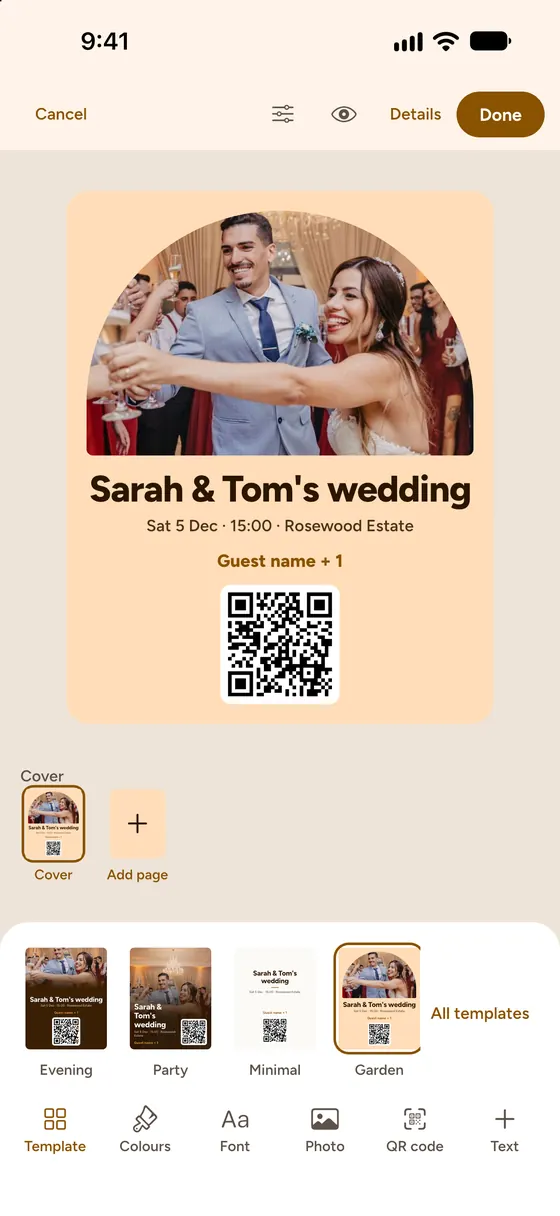
An invitation that looks like your wedding
Start from a template or upload your own design. Add your photo, set the date and the place, and pick colours and a font. The QR code stays scannable wherever you put it.
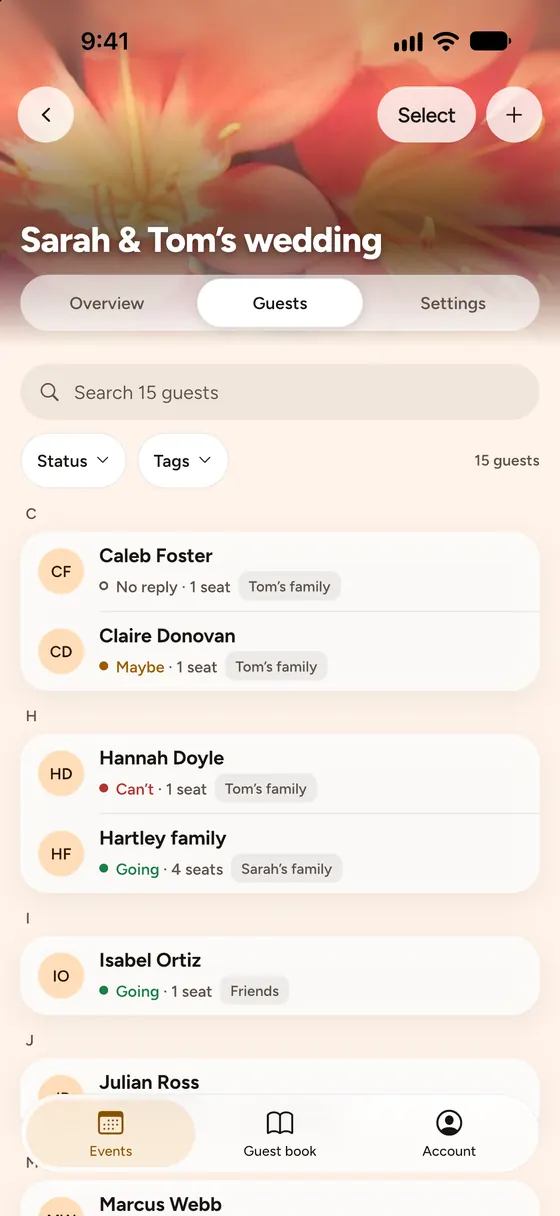
Every reply in one list
Guests answer going, maybe or can't on their own invite page. You see who is coming, who has not replied and how many seats each guest takes. Set a deadline, a maximum and your own questions, such as a menu choice.
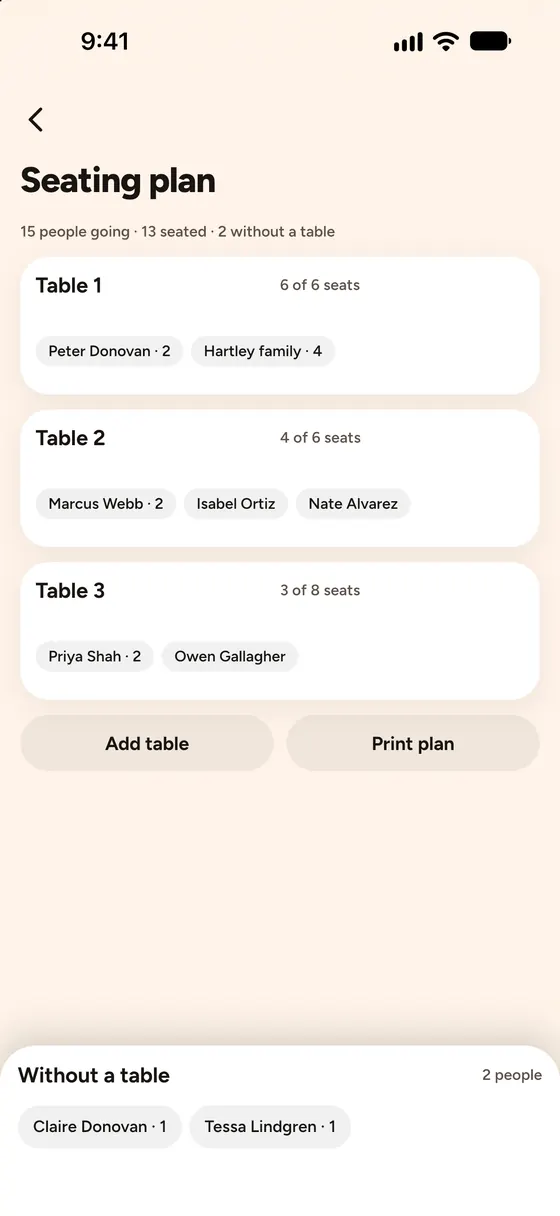
Plan who sits where
Add tables, put guests and families together and see at once who still has no table. Print the plan for the venue.
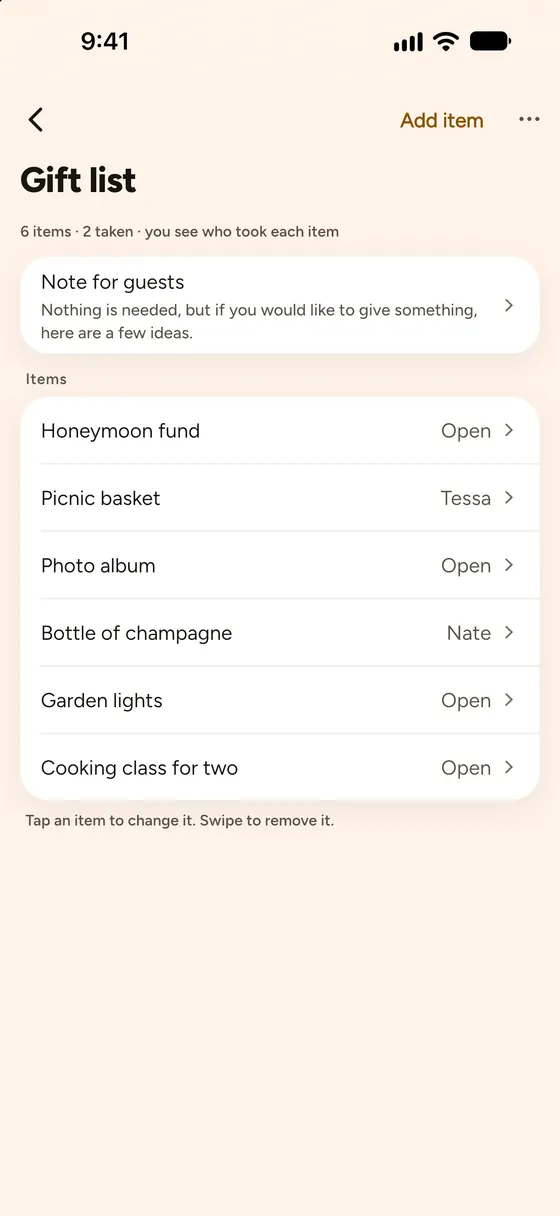
A gift list guests can pick from
Add the things you would like. Guests choose one, so nobody brings the same, and you see who took what.
From invitation to the day itself
Make the invitation
Pick a template or upload your own design, add your photo, date and place.
Send it
Email everyone at once, or send each guest a personal link or image in WhatsApp.
Plan and welcome
Follow the replies, seat your guests and scan them in at the door with any phone.