
Invite In logoInvite In
Language: English
Get the app

Guest list app: replies, seating and door check-in

Build your guest list from your contacts or a CSV file, see every reply as it arrives and seat your guests. On the day the same list works at the door: each guest has a QR code, and scanning works without internet.

Get it on Google Play

Coming soon for iPhone and iPad

For Android. Up to 10 people per event included.
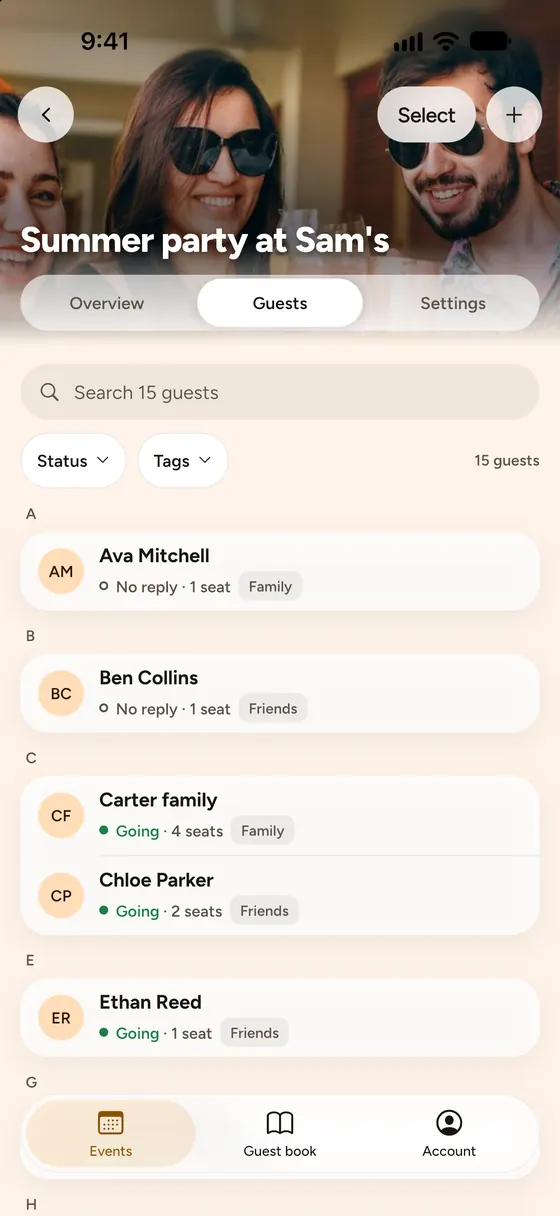
The guest list: who is going, who has not replied and how many seats each guest takes

One list for everyone you invite

Add people by hand, from your contacts or from a CSV file. Filter by reply or tag, and see each guest's seats at a glance. People you invited before are in your guest book.
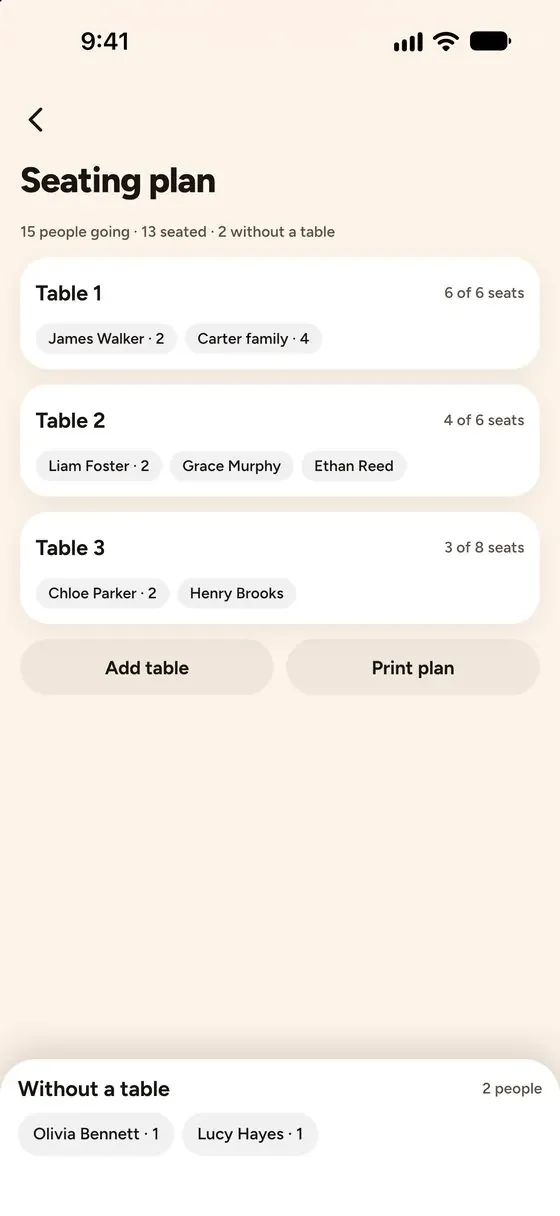
The seating plan: the tables and who sits at each one

Seat your guests

Put guests and families at tables and see who has no table yet. Print the plan.
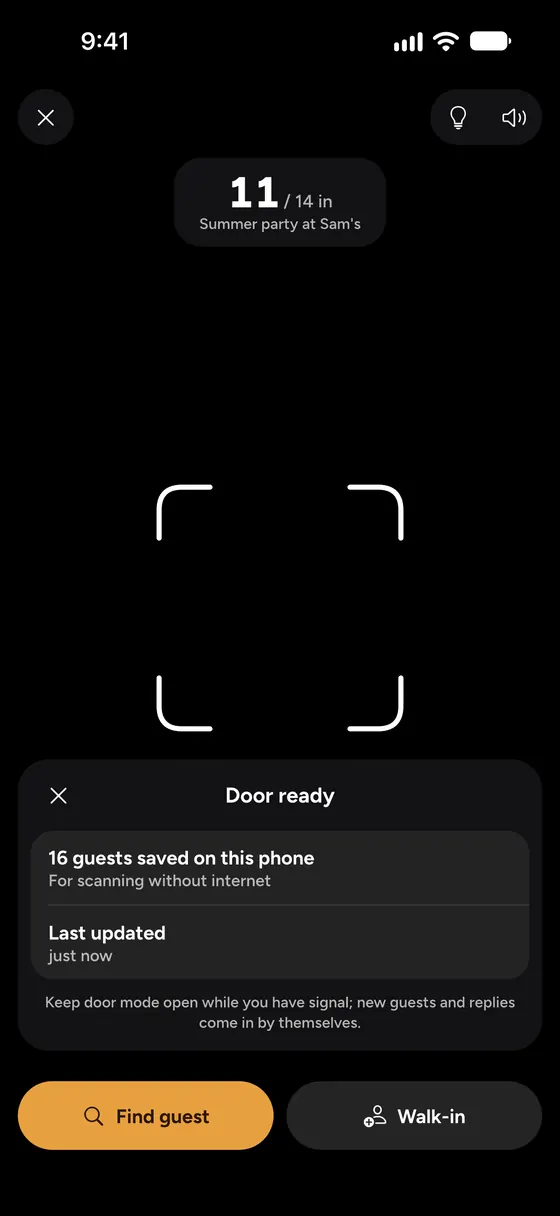
Door mode after a scan: the guest is admitted, with the table and the seats

Scan them in at the door

Every guest has their own QR code. Any phone is a scanner, and it keeps scanning without internet and syncs when you are back online.

From list to door

  1. Add your guests

    By hand, from your contacts or from a CSV file. Duplicates are merged.

  2. Follow the replies

    Guests reply on their own invitation page. Going, maybe and can't sit in one list.

  3. Check them in

    Scan each QR code at the door. Helpers join with a link you send them.

What it costs

Up to 10 people per event is included. For a bigger event you pay once, for that event only: Small (up to 25 people) €9.99, Medium (up to 50 people) €19.99, Large (no limit) €34.99. Nothing renews. Prices include VAT; you buy in the app through Google Play.

Up to 10 peopleIncluded
Small€9.99up to 25 people
Medium€19.99up to 50 people
Large€34.99no limit

Questions people ask

How do I make a guest list on my phone?

Create an event in Invite In and add guests by hand, from your contacts or by importing a CSV file. Each guest has a name, seats, optional tags and their own language.

How many guests can I add?

Up to 10 people per event is included. A paid size holds up to 25 people (Small), up to 50 (Medium) or no limit (Large).

Can I seat my guests?

Yes. Add tables, put guests and families at them and see who has no table yet. You can print the plan for the venue.

Can I check guests in at the door?

Yes. Every guest has a QR code and any phone scans it, even without internet. A party of four? The helper picks how many walk in now.

Get Invite In

Guests never need the app or an account: they open their personal link.

Get it on Google Play

Coming soon for iPhone and iPad