 Invite In
Event check-in app: scan guests in, even without signal
Every guest has a QR code. Open door mode, scan it, and the phone shows in colour, text and sound whether to let them in. It keeps scanning without internet and syncs when you are back online.

Coming soon for iPhone and iPad
For Android. Up to 10 people per event included.
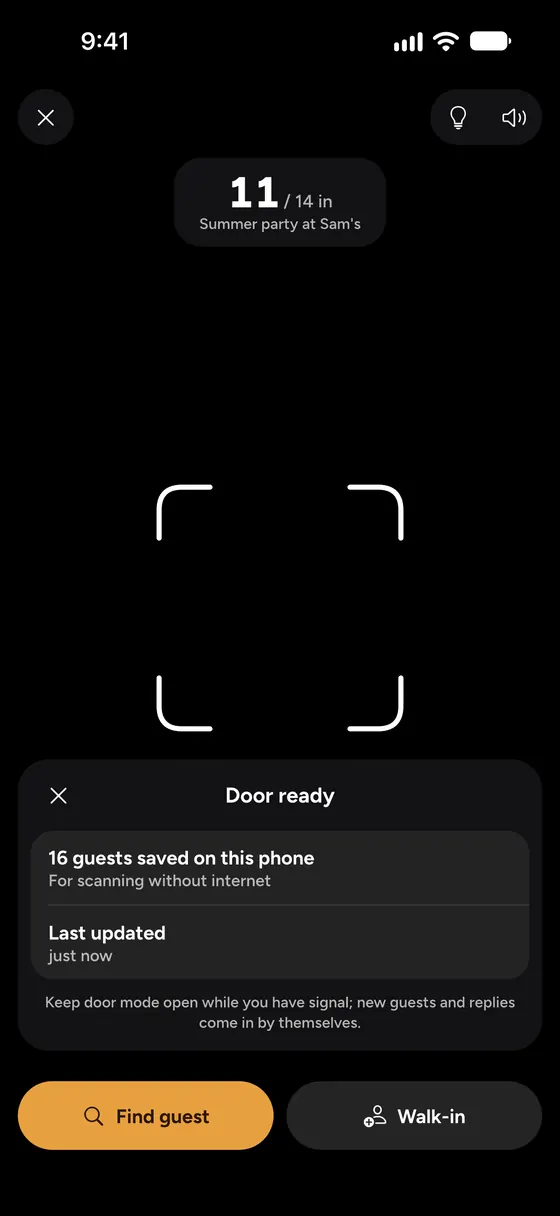
One scan, one answer
Door mode shows Admitted or Already checked in, with the guest's name and seats, big enough to read at arm's length, with colour, text and sound. You can turn the sound off; vibration always stays on.
A group of four? Pick how many come in
When one QR code covers several people, the helper chooses how many walk in now. The rest can come in later on the same code.
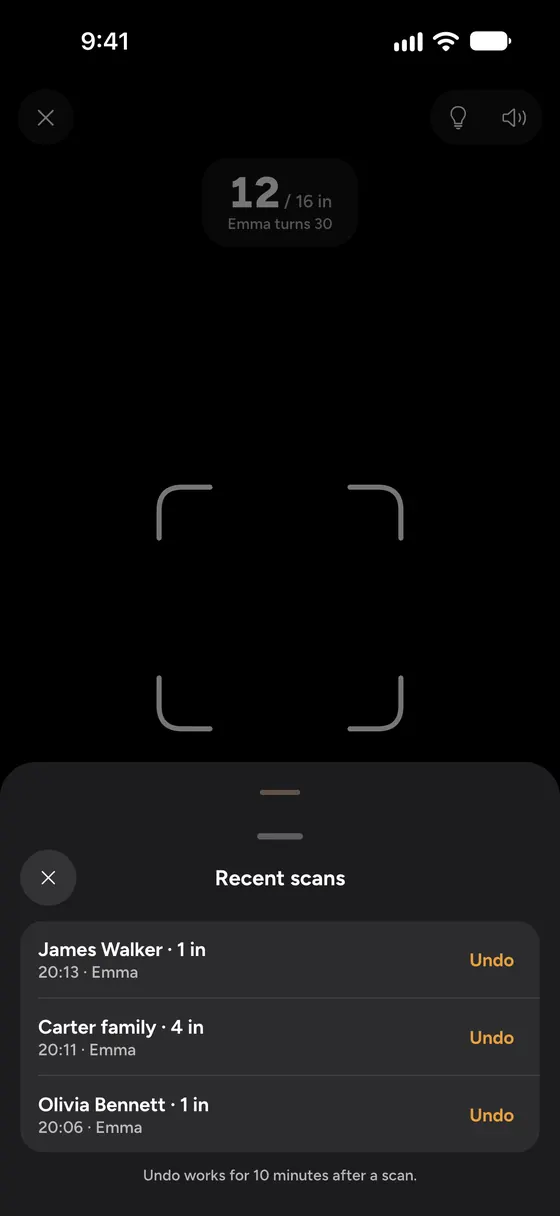
Mistakes are one tap away
Scanned the wrong person? Undo works for 10 minutes after a scan. Scan a code twice and the phone says who checked in, when and by whom.
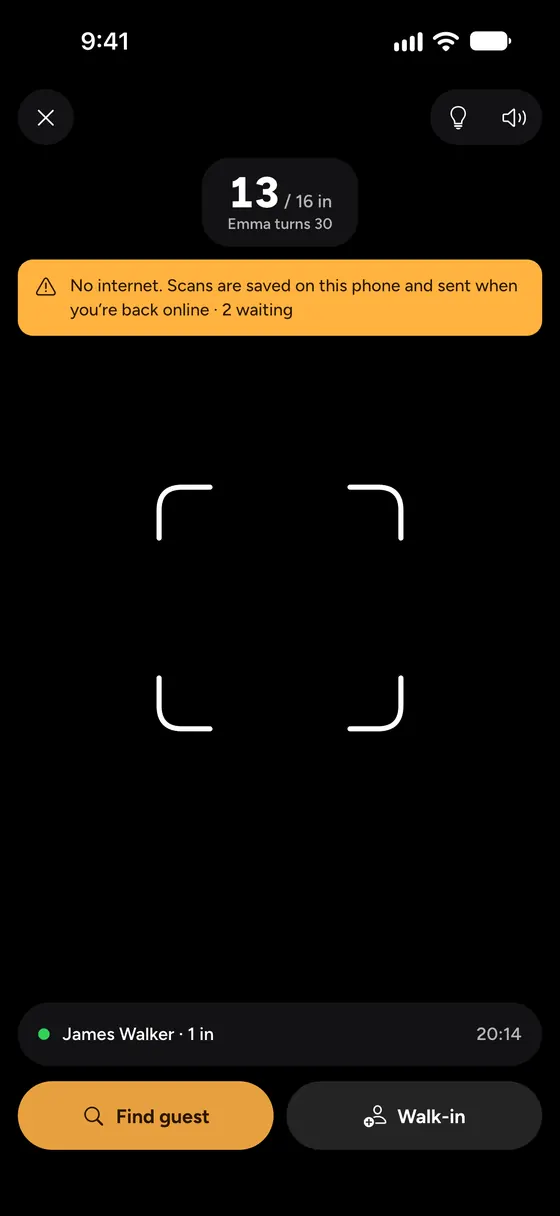
No signal at the venue?
Door mode keeps scanning without internet. Scans are saved on the phone and sent when you are back online; the banner shows how many are waiting. Admit anyway needs a connection.
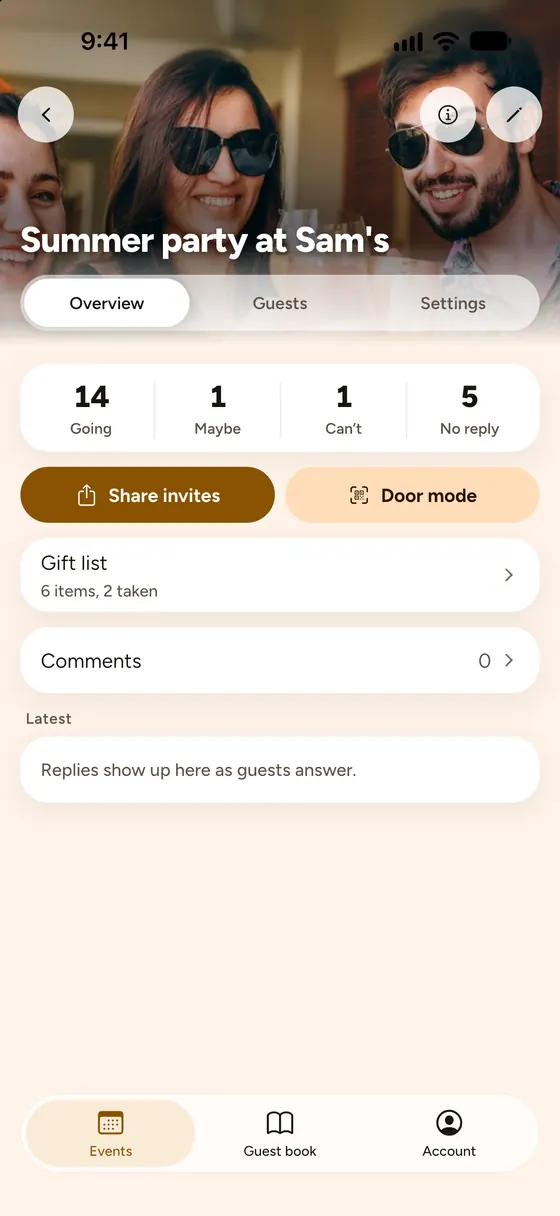
See who is inside
The counter shows how many are in of how many expected. Afterwards you see who came, who walked in without an invitation (spontaneous guests are added at the door) and who did not show up, with arrivals over time. Export the list as CSV.
Put the helpers to work
Door helpers join with a link you send them and only see door mode, so you can hand the door to someone else. Co-hosts can also edit the guest list.
How it works
Open door mode
Any phone can be the scanner. Door helpers join with a link you send them.
Scan each QR code
The phone answers at once, in colour, text and sound.
Watch the count
See how many are in, handle walk-ins, export the list afterwards.