 Invite In
Create an invitation: design it on your phone and see who is coming
Create an invitation for your birthday, party or wedding in the app. Pick a template, add your photo, the date and the place, and send it as a link, image or email. The replies come in on one page.

Coming soon for iPhone and iPad
For Android. Up to 10 people per event included.
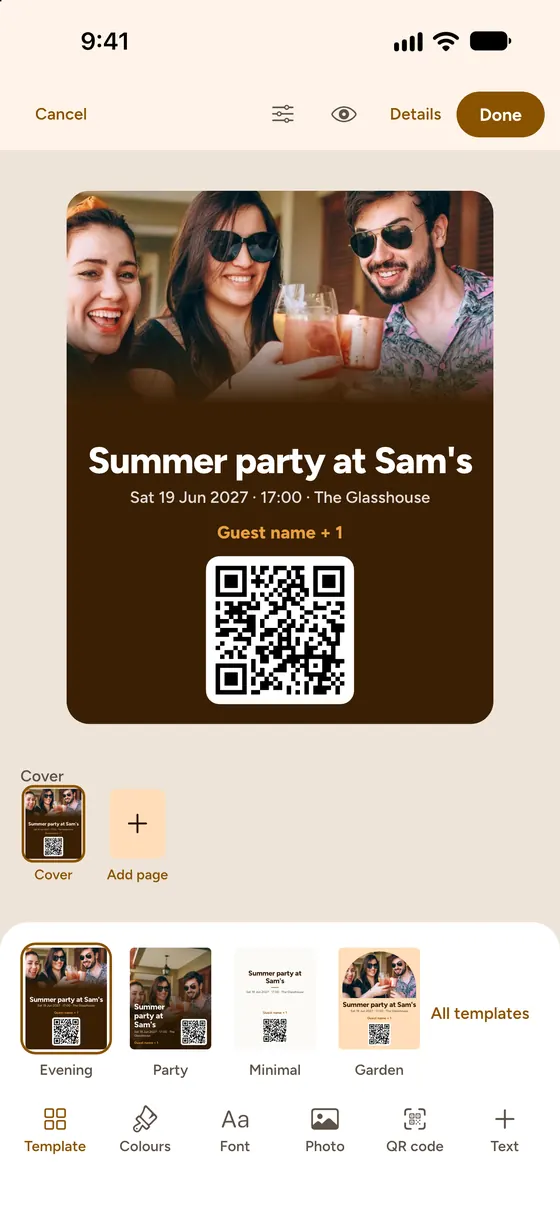
Pick a template and make it yours
Start from a template, or from your own design. Add your photo, fill in the date and the place, and change colours, font and text. A birthday invitation is done in minutes.
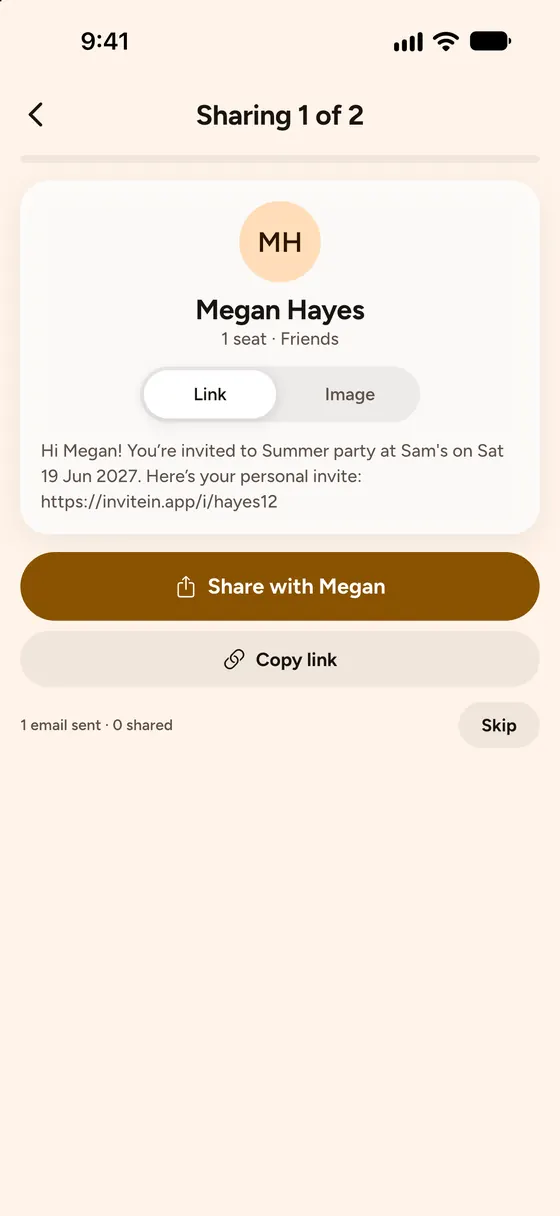
A personal invitation for every guest
Every guest gets their own link or image, with their own QR code. You share them one by one, or email everyone at once.
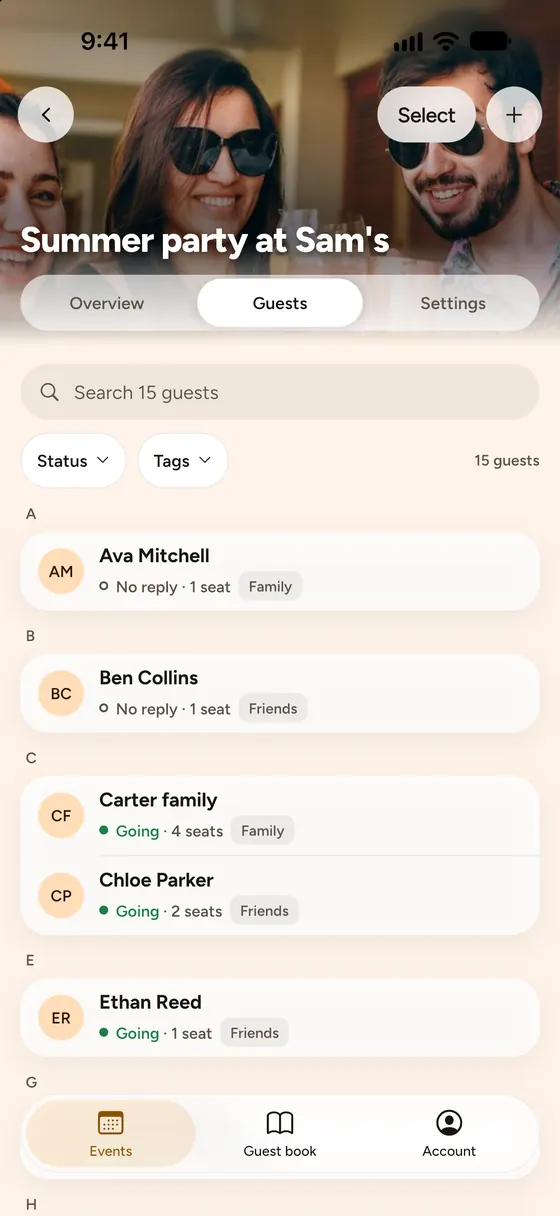
See who is coming
Guests choose I am coming, Maybe or I cannot come on their own invitation page. You see the answers in one list, with how many seats each guest takes.
Create an invitation in three steps
Make it
Pick a template, add your photo, the date and the place.
Send it
Share a personal link or image per guest, or email everyone at once.
See the replies
Guests reply on their invitation page, without an app and without an account.