Invite In logoInvite In
Language: English
Get the app

Oktoberfest invitations: make them, send them, see who is coming

Design your Oktoberfest invitation on your phone, send each guest their own link or image, and watch the replies come in. Ask about dietary needs, set a reply deadline and keep one list for the whole table, from a beer garden afternoon to a hall full of long tables. In 2027 the Oktoberfest in Munich runs from Saturday 18 September to Sunday 3 October; parties elsewhere, in Germany, Austria and around the world, follow their own dates.

Get it on Google Play

Coming soon for iPhone and iPad

For Android. Up to 10 people per event included.
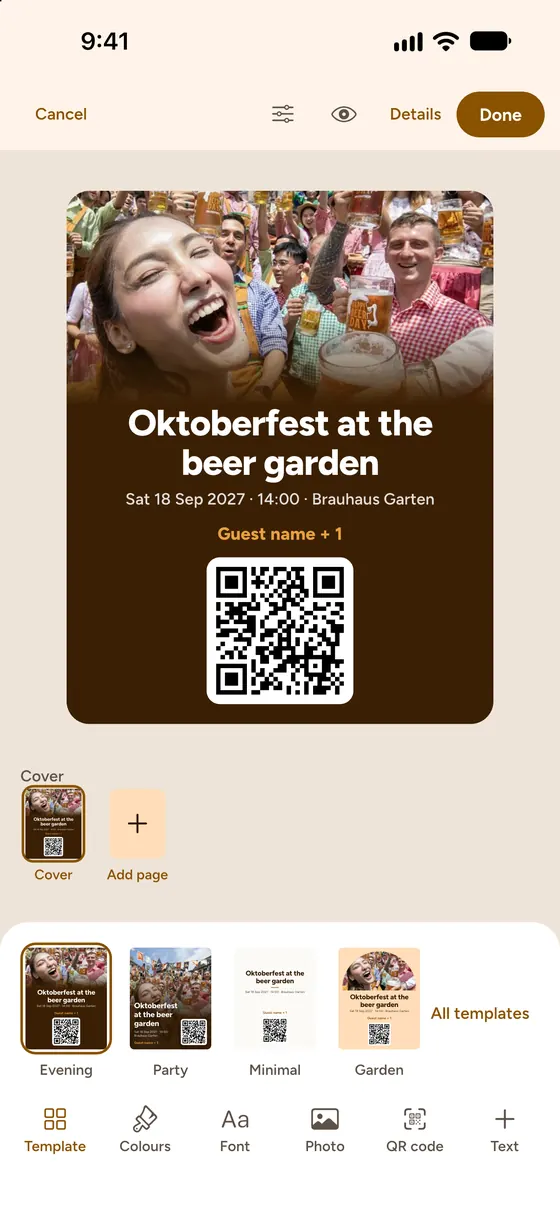
The invitation editor with the invitation "Oktoberfest at the beer garden" and its templates

Make an invitation for your Oktoberfest party

Pick a template, add your own photo, the date and the place, and choose the colours and the font. The QR code stays scannable wherever you put it.
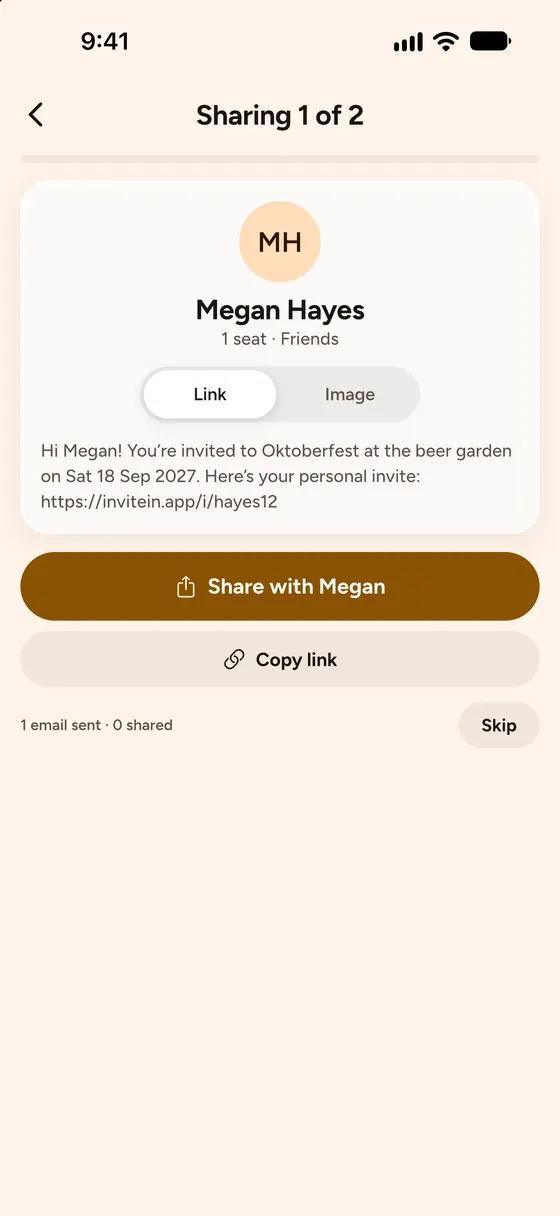
Sharing a personal invitation with one guest, as a link or as an image

A personal invitation for every guest

Every guest gets their own link or image. Send them one by one in WhatsApp, or email everyone at once. Guests open it in the browser, with no app and no account.
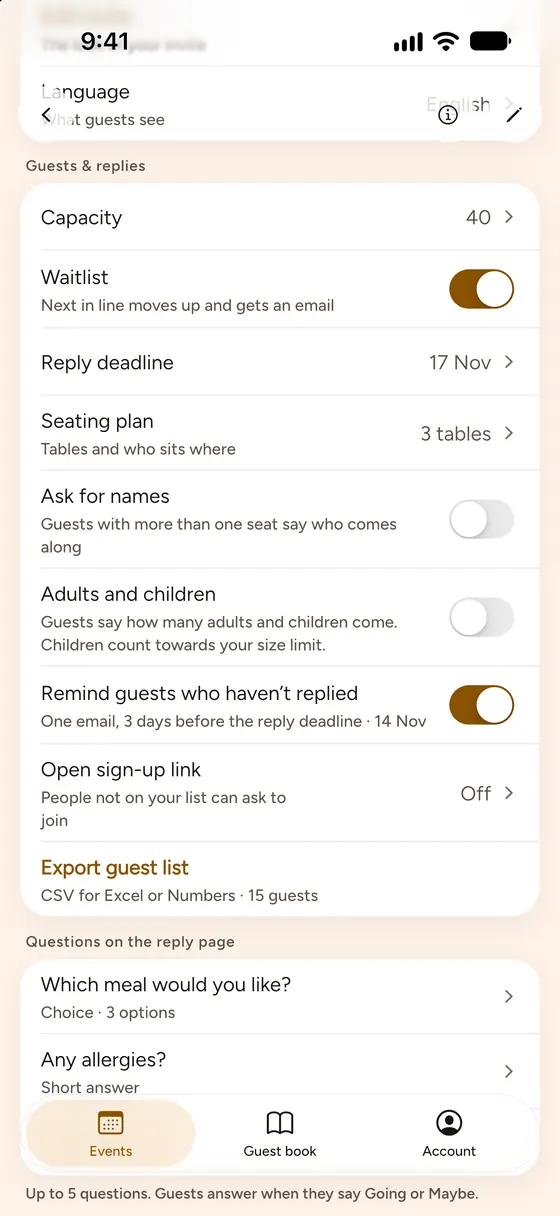
The reply settings of an event: capacity, waitlist, reply deadline, reminders and the questions guests answer on the reply page

A deadline, a maximum and your own questions

Set a reply deadline and the most people at once. Add up to 5 questions to the reply page, such as dietary needs, who sits together, or a dish to bring. Guests answer when they say going or maybe.
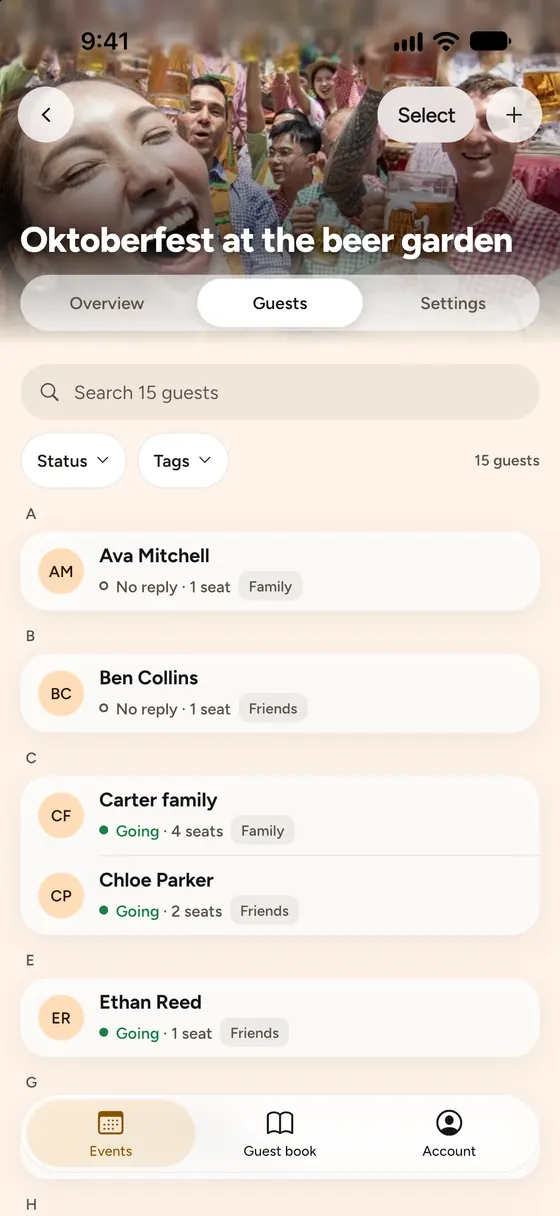
The guest list: who is going, who has not replied and how many seats each guest takes

See who is coming

Going, maybe, can't and no reply yet, in one list. Switch on a reminder email to the guests who have not answered.

Oktoberfest invitations in three steps

  1. Make the invitation

    Pick a template, add your photo, the date and the place.

  2. Send it

    A personal link or image per guest, or one email to everyone.

  3. Follow the replies

    Guests reply on their own page. You see the answers in the app.

What it costs

Up to 10 people per event is included. For a bigger event you pay once, for that event only: Small (up to 25 people) €9.99, Medium (up to 50 people) €19.99, Large (no limit) €34.99. Nothing renews. Prices include VAT; you buy in the app through Google Play.

Up to 10 peopleIncluded
Small€9.99up to 25 people
Medium€19.99up to 50 people
Large€34.99no limit

Questions people ask

How do I make an Oktoberfest invitation?

Open Invite In, create an event and pick a template. Add your photo, the date and the place and change colours and font. When it is ready, share it as a link, as an image or by email.

When is Oktoberfest in 2027?

The 192nd Oktoberfest in Munich runs from Saturday 18 September to Sunday 3 October 2027, according to the official Wiesn website. Oktoberfest parties in other cities, clubs and homes are held on many different dates in September and October, so put your own date and time on the invitation.

Do my guests need to install the app?

No. Guests get their own link, open it in their browser and reply there. No app and no account.

Can I ask guests about dietary needs?

Yes. Add up to 5 questions of your own to the reply page, such as dietary needs, who they would like to sit with, or a dish to bring. Guests answer when they say going or maybe.

Can I remind guests who have not replied?

Yes. Switch on the reminder and Invite In sends one email to everyone who has not answered, 3 days before the reply deadline (or 7 days before the event if there is no deadline).

Get Invite In

Guests never need the app or an account: they open their personal link.

Get it on Google Play

Coming soon for iPhone and iPad

© Vivu Vietnam (@bttsg) · Unsplash License · Unsplash