 Invite In
Hosting a Tet party: invitations, replies and seating plan
The first day of Tet is Saturday 6 February 2027, and Lunar New Year's Eve falls on the evening of Friday 5 February. This guide helps you invite guests, track replies and arrange seats for your Tet meal.

-
Pick a date and create your invitation
The first day of Tet is Saturday 6 February 2027, and Lunar New Year's Eve is the evening of Friday 5 February. Whether it is a family year-end dinner, a year-end party with colleagues or an open house for Tet visitors, remember the saying "The first day of Tet is for the father's side, the second for the mother's side, the third for teachers" so you can choose a date that does not clash with family visits.
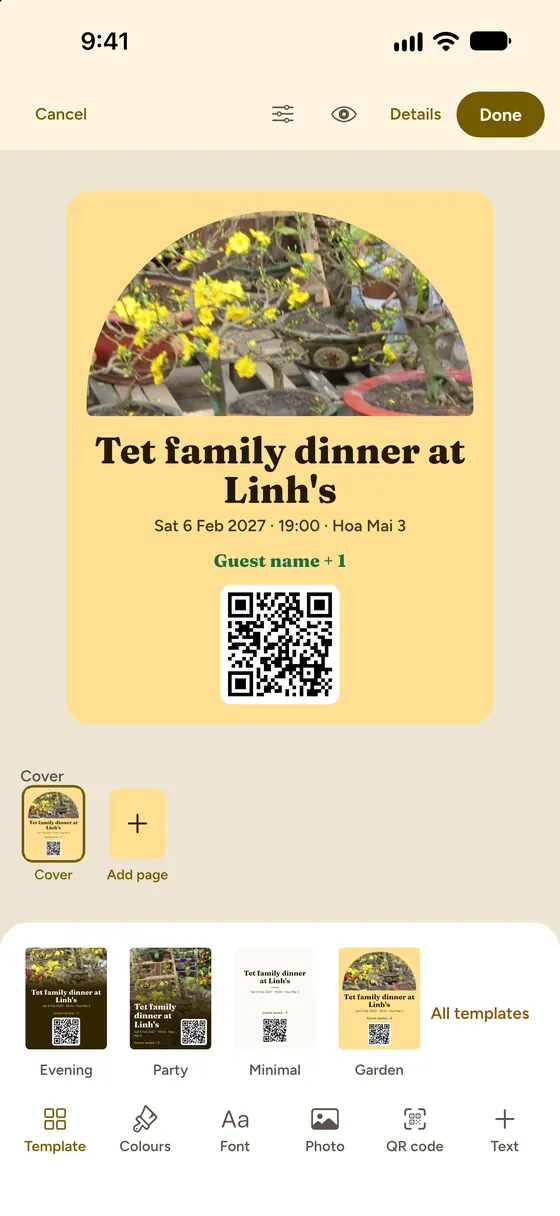
Create your invitation in Invite In: enter a title, date, time, address and a short line such as "Join us for the first meal of the year". Choose the invitation style, colour and font further down.
-
Send each guest their own invitation
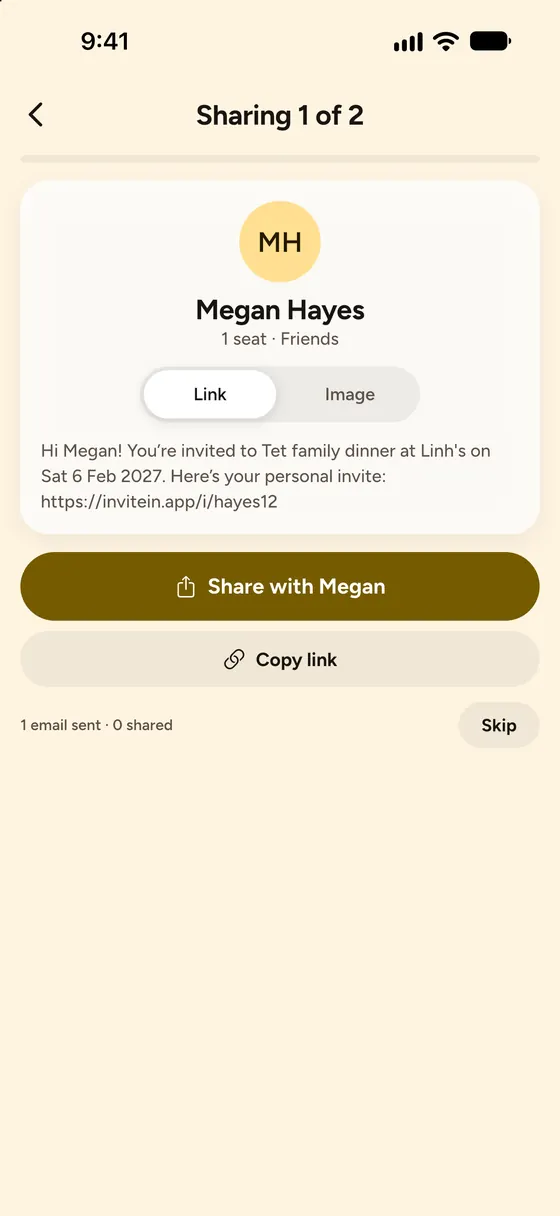
Each guest receives their own link or invitation image, with their own QR code. Tap share or copy the link, then send it by WhatsApp, email or text message, including to the older relatives in your family.
Guests reply right in their browser, with no app to install and no account to create: yes, maybe, or unable to come. You can also add your own questions, such as who is vegetarian or avoids certain foods.
-
See who is coming
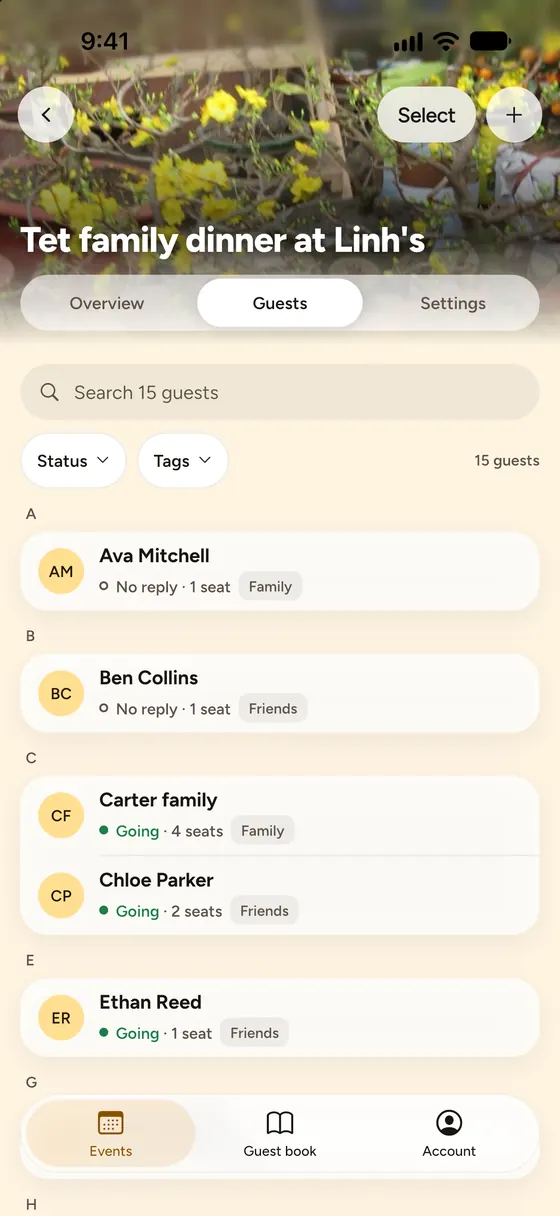
All replies are collected in one guest list: who has accepted, who is unsure, who has not replied, and the total number of places to prepare. You can search by name and filter by status or by label, such as family or friends.
At Tet, many people travel from far away to return to their home town, so send invitations early so they can arrange their travel and let you know whether they are bringing family. The place count updates as replies come in, so you can book just enough tables for the meal.
-
Arrange the seating
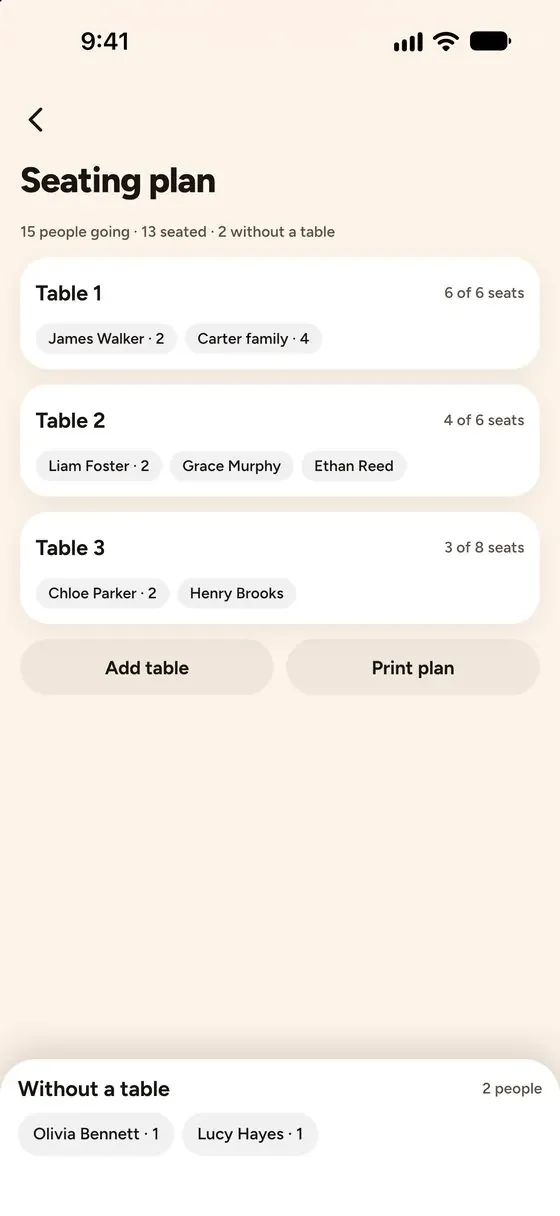
Create your tables, set the number of seats at each one, then place guests. You can see at once which tables still have space and who has no seat yet. When you are happy with the plan, print it so the people welcoming guests and the people serving can use the same copy.
At a Tet meal, older people are usually invited to sit first, so keep the most convenient seats for grandparents, aunts and uncles. Children, grandchildren and friends can sit near each other to make conversation easier.