 Invite In
Mother's Day brunch planning: invitations, replies and who brings what
Mother's Day is on a different day in each country: Sunday 9 May 2027 in the US, Canada, Australia and many other countries, and Sunday 7 March 2027 in the UK and Ireland. Here is how to invite the family and keep track of the replies.

-
Pick the day and make the invitation
Mother's Day has no single date. The US, Canada, Australia, India, Japan and many countries in Europe, including Germany, the Netherlands and Italy, keep it on the second Sunday of May, which in 2027 is 9 May. The UK and Ireland keep Mothering Sunday on 7 March, Spain and Portugal on 2 May, and France and Sweden on 30 May. Choose the date of your own country.
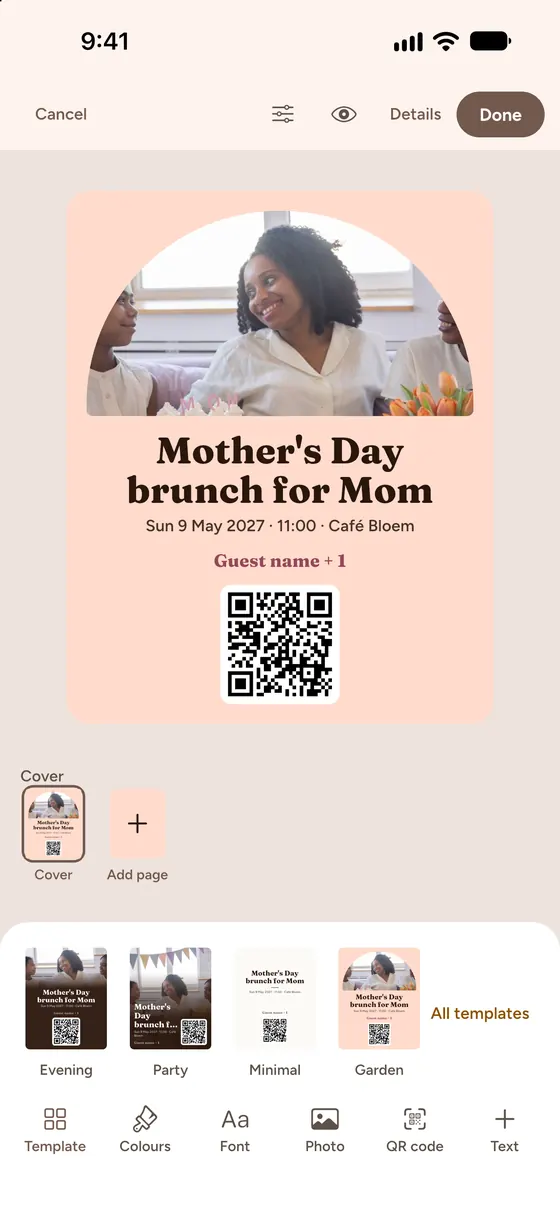
Make an invitation with the date, the time and the address, and add a short line, for example that it is a brunch for everyone to share.
-
Send each guest a personal invitation
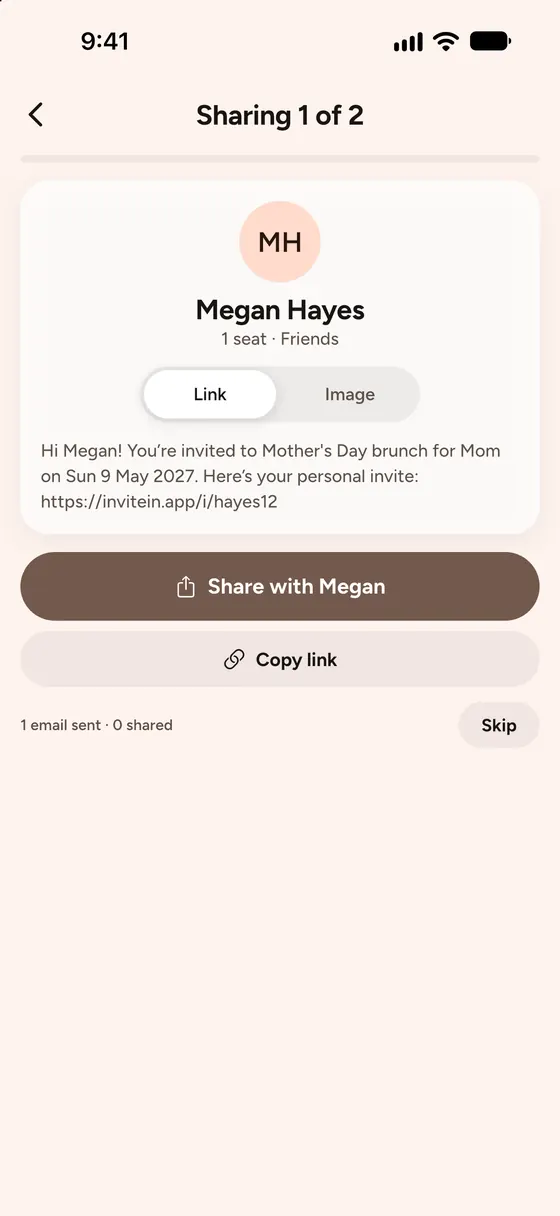
Every guest gets their own link or image, with their own QR code, to share by WhatsApp, email or text message.
Guests answer in their browser, with no app and no account: coming, maybe or not coming. Add a question of your own, such as "Any dietary needs?", so you do not have to ask in the group chat.
-
See who is coming
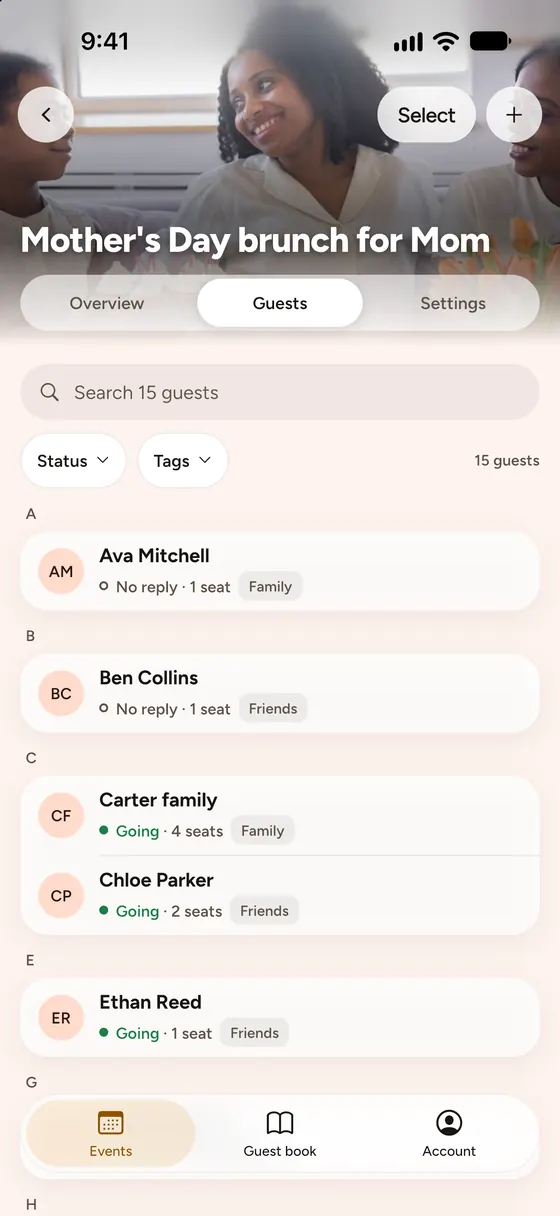
The guest list shows who said yes, who said maybe and who has not replied yet, with the number of seats. You can search it and filter it by status or by a tag such as family or friends.
Check the numbers before you shop and cook, and again the day before. Children count as guests too, so give each family the number of seats it needs.
-
Ask who brings what
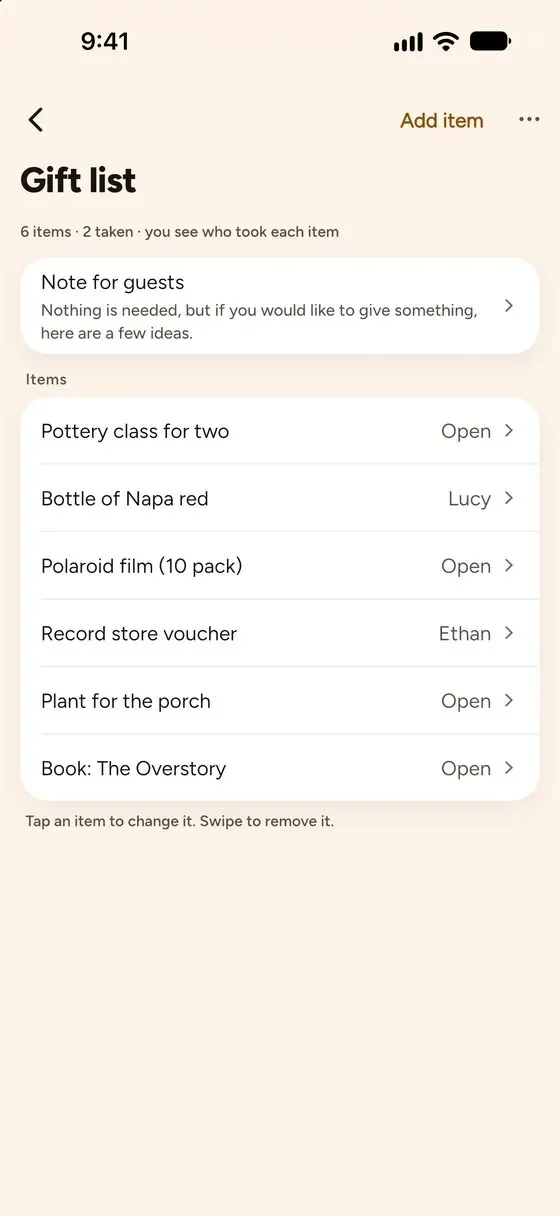
A list stops three guests from bringing the same cake. Put items on the list and guests pick what they will bring: a quiche, a salad, a cake, flowers, a bottle of sparkling wine or juice. You see who picked what and what is still open.
Add a note for your guests, for example: "Nothing is needed, but if you would like to bring something, here are a few ideas."