 Invite In
Carnival party planning: invitations, replies and costumes
In 2027 carnival runs from Sunday 7 to Tuesday 9 February in the south of the Netherlands, and Ash Wednesday is on 10 February. Here is how to invite your guests, ask about costumes and keep track of the replies.

-
Pick the day and make the invitation
Carnival is kept in the days before Lent. In 2027 it runs from Sunday 7 to Tuesday 9 February in Maastricht and across the south of the Netherlands, and Ash Wednesday, the day after, is on 10 February. In Germany it starts earlier, on Thursday 4 February, and its biggest day is Rosenmontag on 8 February. Pick the day your friends keep, because many people are in the parade or away for the weekend.
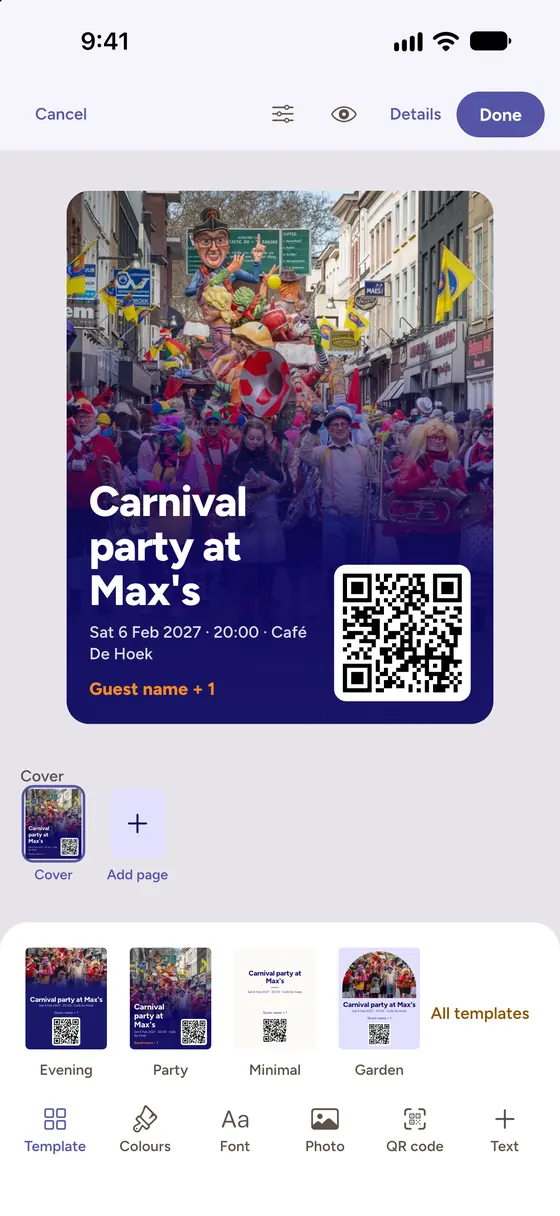
Make an invitation with the date, the time and the address, and add a short line, for example that costumes are welcome or that you meet before the parade.
-
Send each guest a personal invitation
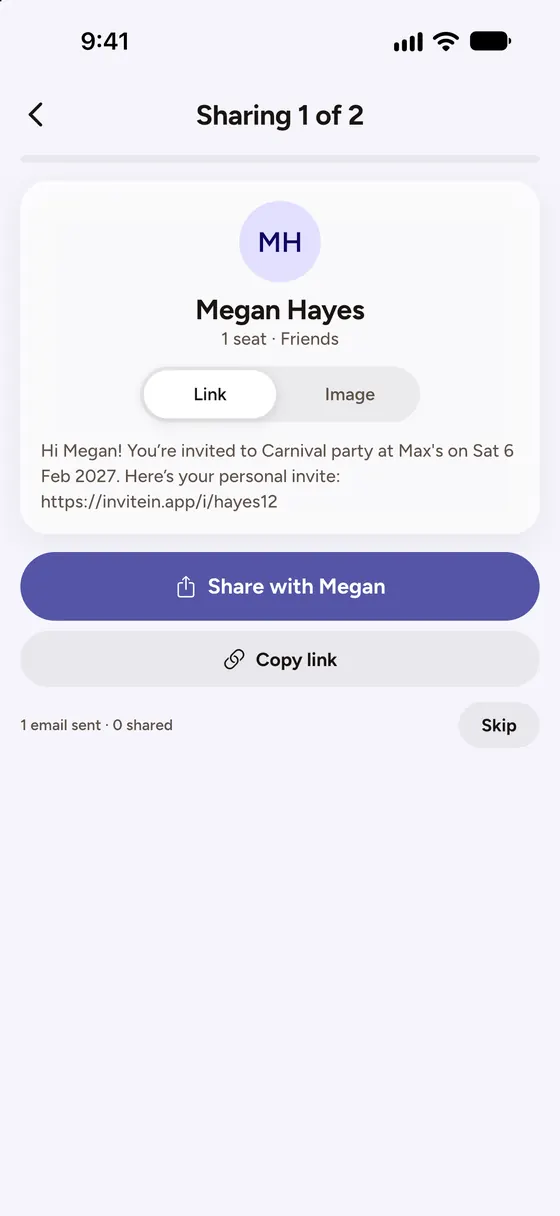
Every guest gets their own link or image, with their own QR code, to share by WhatsApp, email or text message.
Guests answer in their browser, with no app and no account: coming, maybe or not coming. Add questions of your own, such as "What will you wear?" or "Any dietary needs?", so you do not have to ask in the group chat.
-
See who is coming
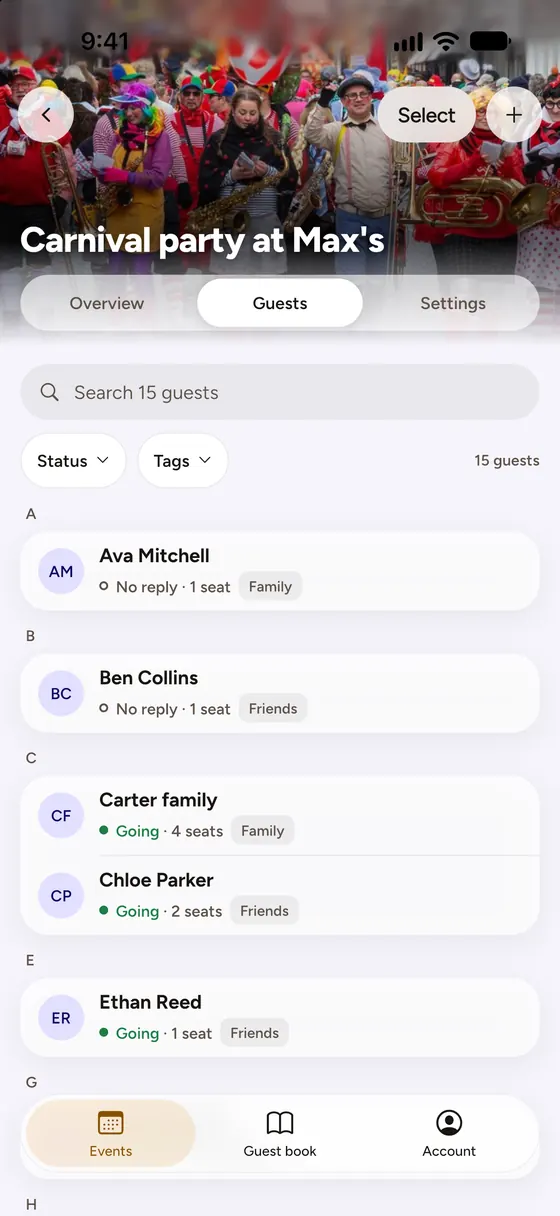
The guest list shows who said yes, who said maybe and who has not replied yet, with the number of seats. You can search it and filter it by status or by a tag such as family or friends.
Check the numbers before you shop, and again the day before. If you walk the parade together, the list also shows who is in the group.
-
Seat everyone
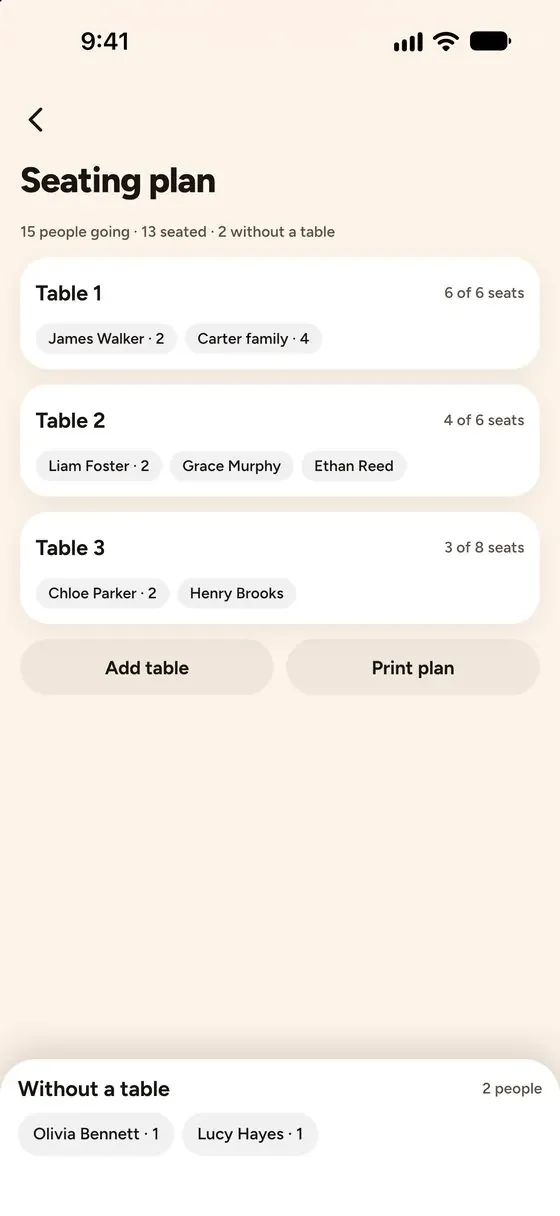
At a party at home or in a hall, a seating plan helps. Add the tables, set the number of seats on each and put every guest or group at a table. You see at a glance who still has no seat.
You can print the plan and put it by the door.