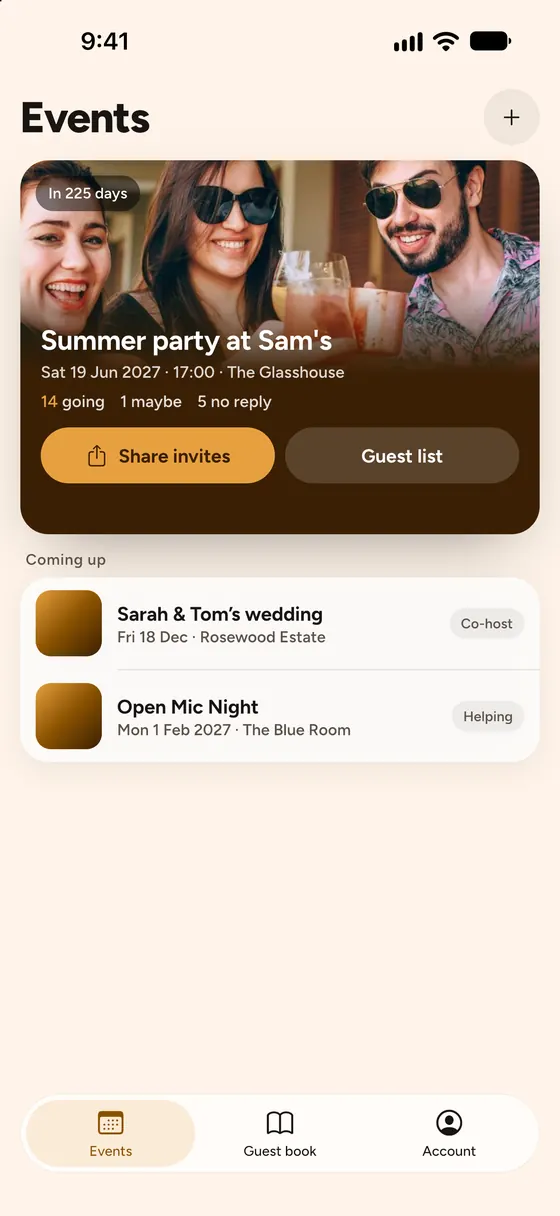
Make the invite on your phone, share it by link or email, and scan your guests in on the night.
Coming soon for iPhone and iPad
Up to 10 people per event included.
From the invite to the door
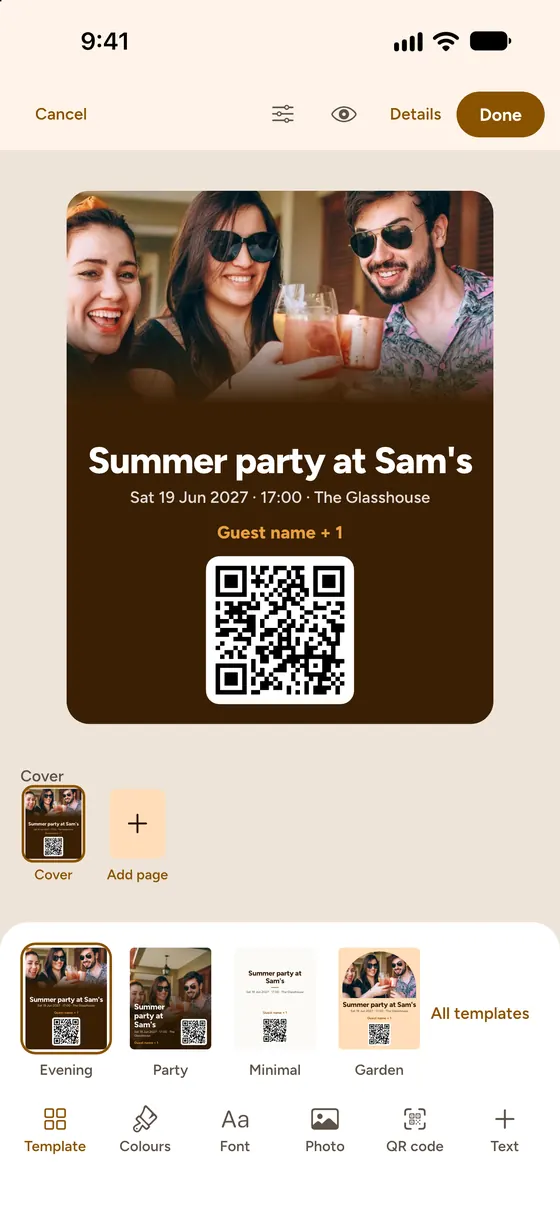
Make the invite
Pick a template, add your photo, set the date and the place.
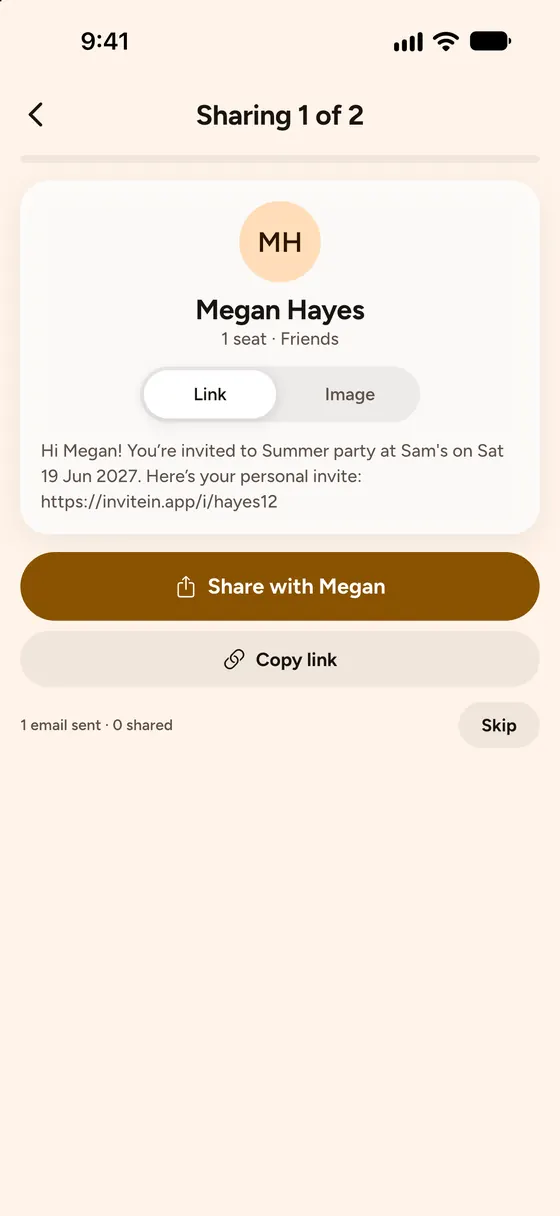
Send it
Email everyone at once, or share each guest their own link or image in WhatsApp.
Guests reply
Going, maybe or can't, on the invite page. No app and no account for guests.
Scan them in
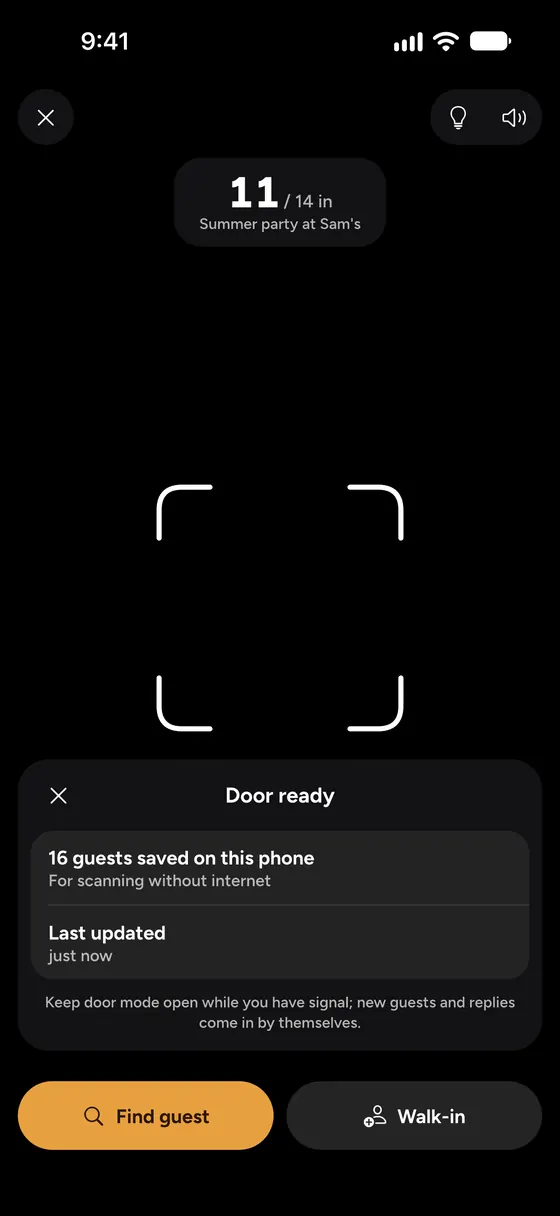
Any phone is the scanner. Helpers join with a link you send them.
The door knows who is on the list.
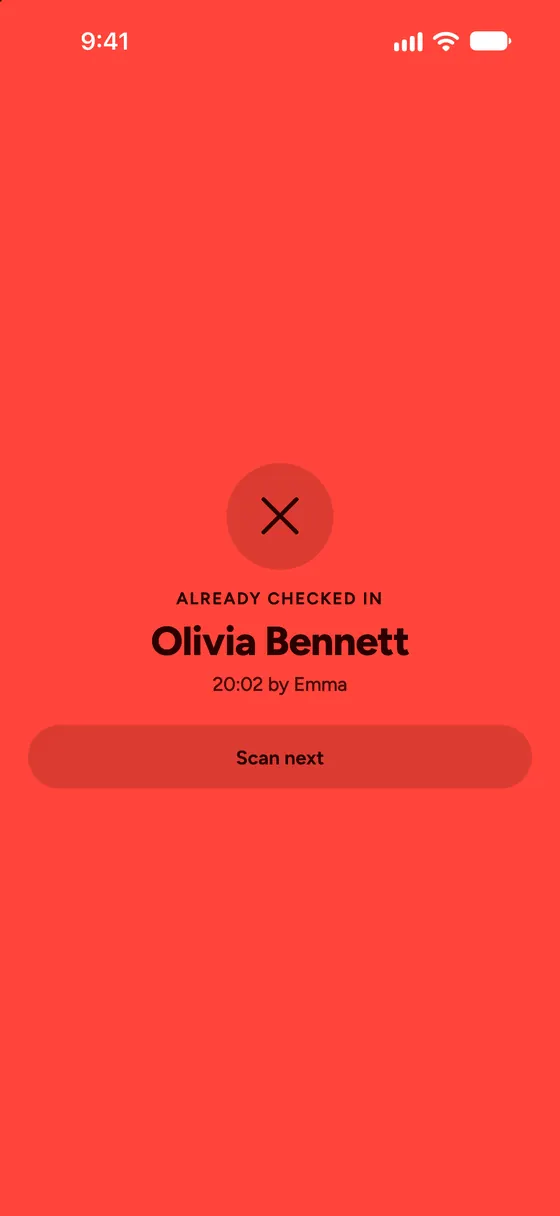
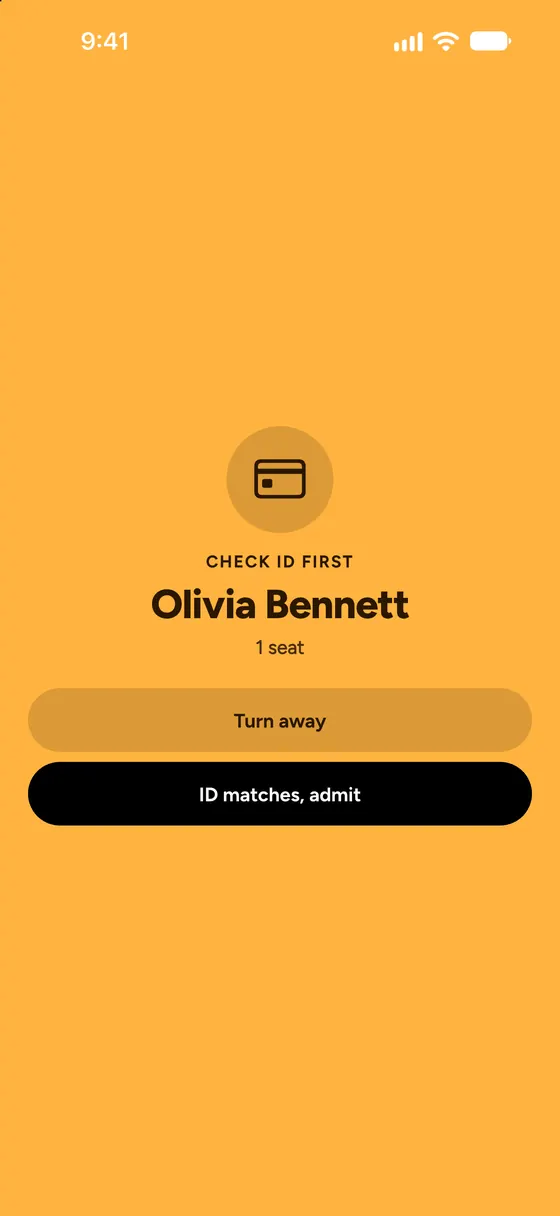
Each QR code lets someone in once. Scan it again and the phone says so. With a paid size you can allow re-entry or ask for ID instead.
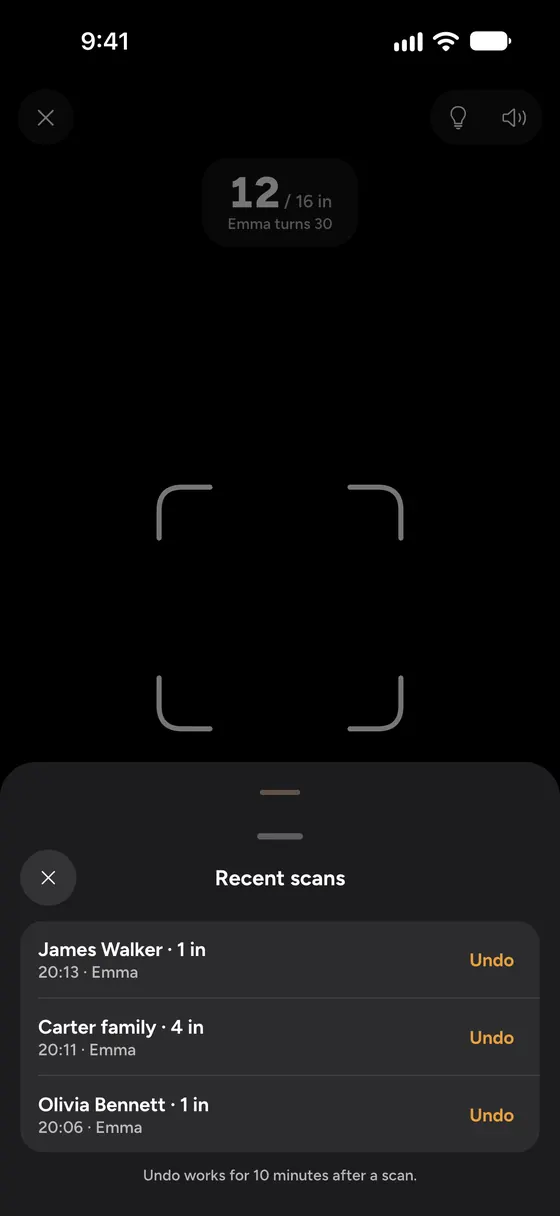
Bringing a party of four? The helper picks how many are coming in now.
Up to 10 people included
Pay once for an event that outgrows what is included. Every size has every paid feature, and you can pay the difference to move an event up.
Free
People per event
10
Door helpers
1
Upload your own invite design
No
Re-entry or ID check at the door
No
"Made with Invite In" on invite pages
Yes
Applies to
Each event
Small€9.99once, for one event
People per event
25
Door helpers
More
Upload your own invite design
Re-entry or ID check at the door
"Made with Invite In" on invite pages
No
Applies to
One event
Medium€19.99once, for one event
People per event
50
Door helpers
More
Upload your own invite design
Re-entry or ID check at the door
"Made with Invite In" on invite pages
No
Applies to
One event
Large€34.99once, for one event
People per event
No limit
Door helpers
More
Upload your own invite design
Re-entry or ID check at the door
"Made with Invite In" on invite pages
No
Applies to
One event
Free
Small€9.99once, for one event
Medium€19.99once, for one event
Large€34.99once, for one event
People per event
10
25
50
No limit
Door helpers
1
More
More
More
Upload your own invite design
No
Re-entry or ID check at the door
No
"Made with Invite In" on invite pages
Yes
No
No
No
Applies to
Each event
One event
One event
One event
One-time purchases per event, bought in the app through Google Play. Nothing renews. Prices include VAT.
Questions about Invite In
What is Invite In?
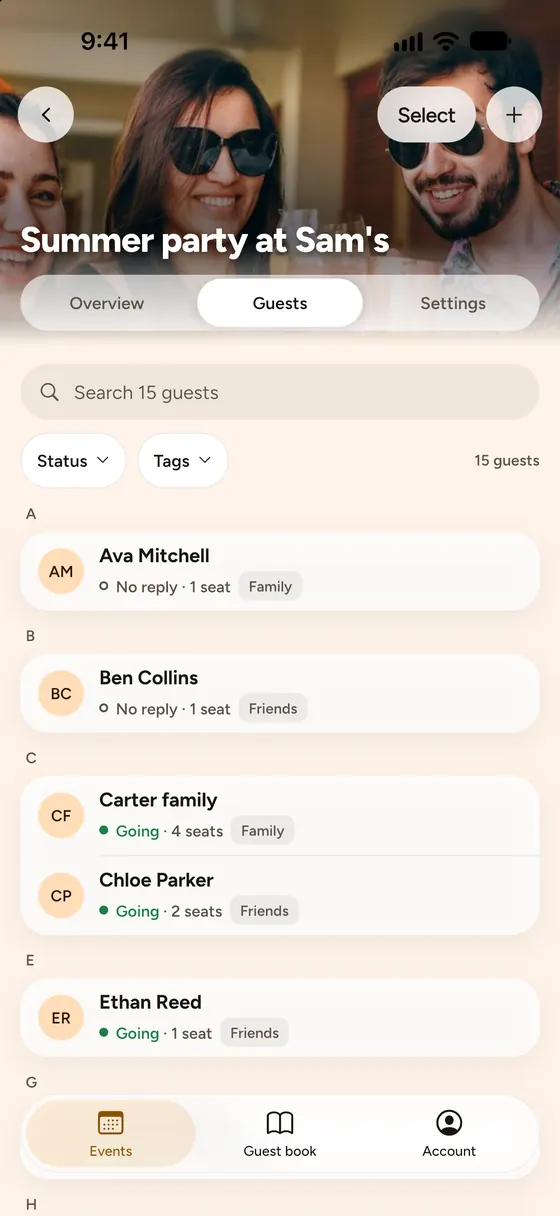
Invite In is an app for making invitations and checking guests in at the door. You make the invitation on your phone, give each guest their own link, image or email, see who is coming and scan the QR codes on the day.
Do my guests need the app or an account?
No. Guests open their own link in the browser and reply there with going, maybe or can't.
What does Invite In cost?
Up to 10 people per event is included. For a bigger event you pay once, for that event only. Nothing renews.
Does scanning at the door work without internet?
Yes. Door mode keeps scanning without internet, stores the scans on the phone and syncs when you are back online.
What events is Invite In for?
Any event with a guest list: a birthday, a wedding, a Christmas party, a company event or a launch. You pick the language per event and per guest.
Who makes Invite In?
Invite In is made by De Bruine Solutions in Amsterdam.
 Invite In